
Authenticator App for Substack
To enhance your Substack account security, consider enabling two-factor authentication (2FA). This guide will help you understand how to set up and use Substack 2FA effectively. Learn how to enable 2FA for Substack, set up your preferred authentication method, and keep your account secure when signing in.
Topics covered:
To setup 2FA for your Substack account with our Authenticator App, you need to follow the next steps:
Download FirstOrder Authenticator App
Download and install the Authenticator App from your device's App Store.




Log in to your account on the Substack website, click your avatar on the right top corner, then select "Settings".
Scroll down to the "Security" section.
Enable recovery questions by clicking "Set up recovery questions". These can be used in the event you lose access to your email or Authenticator App.
Once you've set up your recovery questions, click "Turn On" next to "Turn on two-factor authentication".
A QR code containing the secret key will be displayed. Next, you need to use our Authenticator App to scan this QR code. Please keep this popup open to complete the setup.
Open our Authenticator App, click the + button at the bottom right of the screen, then hold your device near the computer screen to scan the QR code.
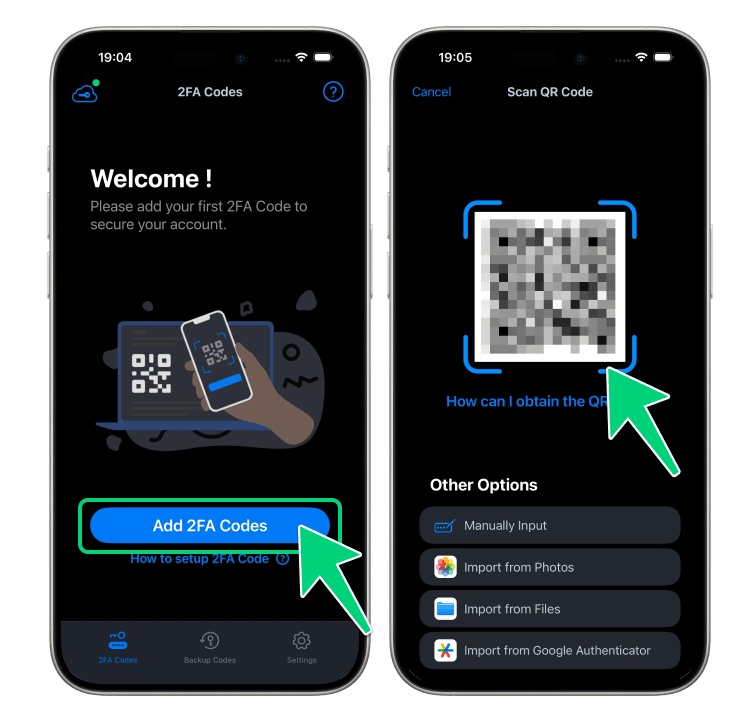
After successfully scanning, a 6-digit code will be shown at the bottom of the screen. Please note that this code refreshes every 30 seconds.
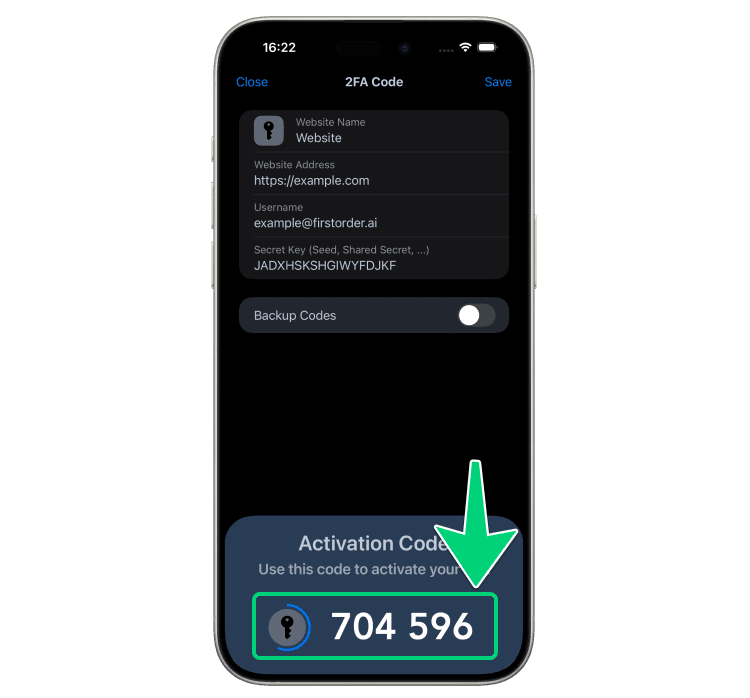
Return to the Substack webpage, enter the 6-digit code displayed in step 7, and then click "Submit".
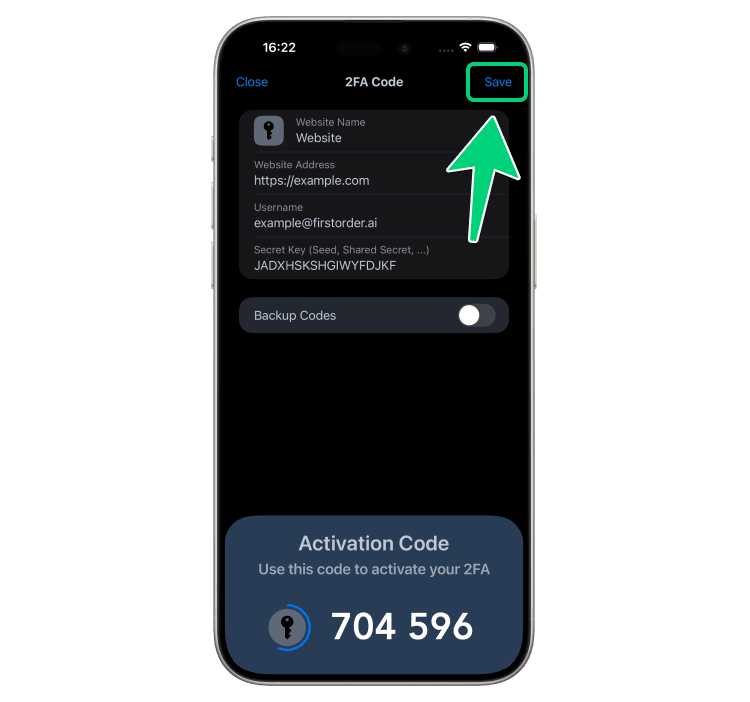
Remember to click "Save" in the Authenticator App to save your account, or you may lose access to your account!
Now, you have successfully setup 2FA for your Substack account. From now on, when you attempt to sign in to your Substack account, you will need to use our Authenticator App.